
The Room Determines the Projector
Selecting the right golf simulator projector starts with understanding the room, not projector features and specifications.
When golfers begin researching projectors for a golf simulator, it's easy to get distracted by specifications. 4K resolution, laser light sources, brightness ratings, brand comparisons, and product reviews all have their place. However, they're rarely the best place to start.
After designing many golf simulator projects for customers across Canada, and recently going through my own projector replacement after nearly eight years, I've been reminded of a simple principle that guides every successful simulator design:
The room determines the projector.
Not the other way around.
The Most Common Projector Mistake
One of the most common mistakes I see is choosing a projector before understanding the room. A golfer finds a projector online, likes the specifications, reads a few reviews, and decides that's the projector they want. Only afterward do they discover that it doesn't work with their room dimensions, screen size, mounting location, or ceiling height.
At that point, they're trying to force a projector into a space it wasn't designed for.
Successful golf simulator design works the opposite way. The room comes first. The projector comes second.
The Ideal Scenario
If you're building a golf simulator from scratch, you're in an enviable position.
In an ideal world, a simulator room would offer ample ceiling height, generous width and depth, and the ability to effectively control ambient light.
With dimensions like these, projector selection becomes much easier. You have the flexibility to choose technology based on the features that matter most to you, whether that's 4K resolution, laser illumination, brightness, installation flexibility, or budget.
At SimCaddy, we often work alongside homeowners, builders, and contractors during the planning stages of a project. When room dimensions, screen sizes, projector locations, and infrastructure can be considered before construction is complete, the number of viable projector options increases dramatically.
Simply put, the room creates flexibility.
The Reality for Most Golfers
Unfortunately, most simulator projects don't begin with a blank canvas.
They're built in existing spaces such as basements, garages, and spare rooms. That's where projector selection becomes more challenging.
Once room dimensions are established, the room begins eliminating options. Ceiling structure affects mounting locations, room depth affects throw distance, screen dimensions affect image size, and lighting conditions influence brightness requirements.
Before you've even compared projector specifications, the room has already narrowed the field.
Why Golf Simulator Projectors Are Different
Golf simulators introduce a challenge that most other projection environments don't: the golfer.
In a boardroom or home theatre, the projector only needs to create an image. In a golf simulator, a person must repeatedly swing a golf club through a defined swing plane while interacting with that image.
That creates additional design constraints. The projector cannot interfere with the golfer, the projected image cannot be obscured by shadows, and the projector must be mounted safely away from both golf clubs and golf balls.
These requirements are one of the reasons short-throw projectors have become the standard in golf simulator environments. They allow large images to be produced from relatively short distances while keeping the projector safely overhead and out of the golfer's way.
The Importance of Brightness
While golfers often focus on resolution, brightness is frequently the more important specification.
Brightness is measured in lumens and is one of the most overlooked variables in projector selection. It is also one of the biggest drivers of projector cost. Generally speaking, as lumen output increases, so does the price of the projector.
The reason is simple. Brightness helps overcome ambient light and maintain image quality.
A dedicated basement simulator with complete lighting control may require less brightness than a garage simulator with windows or a large multi-purpose room with high ceilings and open space that serves several functions. A projector can have excellent resolution, but if the image lacks brightness, the overall experience suffers.
In many cases, a bright, vibrant image will have a greater impact on the user experience than additional pixels.
Once again, the room influences the decision.
Why Throw Distance Matters
Throw distance is one of the most important projector specifications in any golf simulator project.
Simply put, throw distance determines how far a projector must be positioned from the screen to create a specific image size.
A projector may have outstanding image quality, excellent brightness, and all the latest features. However, if it cannot produce the desired image from the available mounting location, it isn't the right fit for the room.
This is where many online projector recommendations fall short. A projector that works perfectly in one simulator may be completely unsuitable in another.
The room determines what is possible.
Understanding Installation Flexibility
Another consideration that's often overlooked is installation flexibility.
Some projectors provide a range of mounting options through optical zoom and lens adjustments, while others require much more precise positioning. This may seem like a minor detail until you're trying to work around ceiling fixtures, structural elements, HVAC systems, lighting, or existing mounting locations.
Installation flexibility doesn't always appear at the top of a specification sheet, but it can become one of the most important factors in a real-world installation.
The SimCaddy Approach
At SimCaddy, we approach golf simulator design much the same way professional audiovisual systems are designed.
We don't start with products. We start with the room.
Before recommending projectors, screens, launch monitors, computers, or other components, we first look at the dimensions and conditions of the space. We evaluate ceiling height, room width, room depth, screen size, lighting conditions, mounting opportunities, and overall performance goals.
Once those variables are understood, selecting the right equipment becomes much easier.
The result is a simulator that performs as a complete system rather than a collection of individual products.
Final Thoughts
Projector technology continues to evolve. Modern golf simulator projectors are brighter, sharper, and more capable than ever before.
But one thing hasn't changed.
The room still determines the projector.
Whether you're building a simulator from scratch or upgrading an existing setup, understanding the room should always be the first step in the design process. Do that well, and the right projector often reveals itself naturally.
Get it wrong, and even the best projector may struggle to deliver the experience you're hoping for.
The room determines the projector.
Everything else follows from there.
About the Author
Tom Murray is the founder of SimCaddy, a Certified Technology Specialist (CTS), and a passionate golfer with a keen interest in golf technology and game improvement. Combining professional audiovisual design principles with real-world simulator experience, Tom helps golfers navigate the complexities of launch monitors, projection systems, simulator software, gaming PCs, and room design. His writing focuses on helping golfers understand what's possible and creating simulator experiences that deliver lasting value.
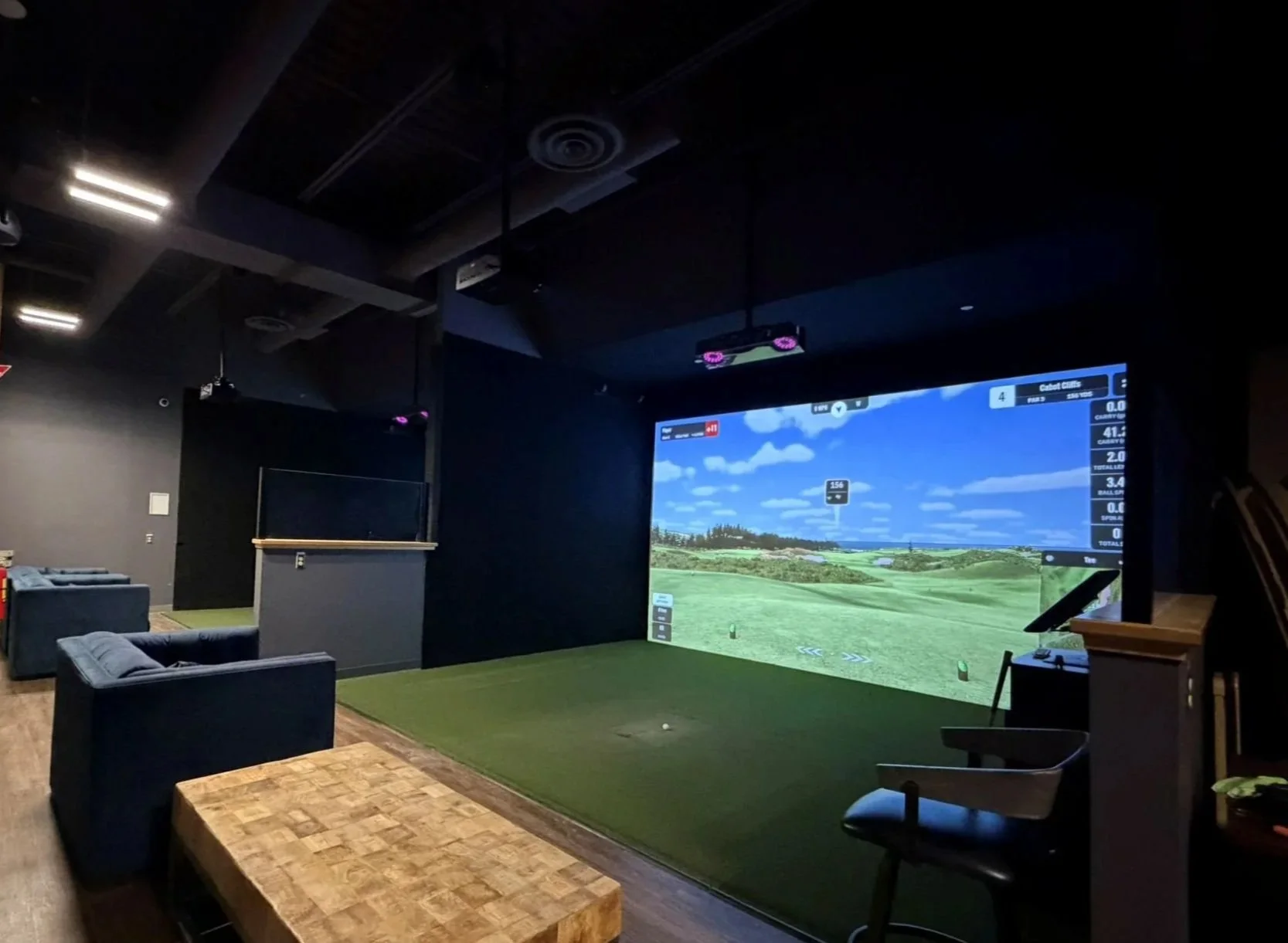
Room dimensions, lighting, screen size, and mounting location all influence projector selection. In this commercial simulator bay, a BenQ LK936ST 4K laser projector delivers a bright, immersive image with 5,100 lumens of output.
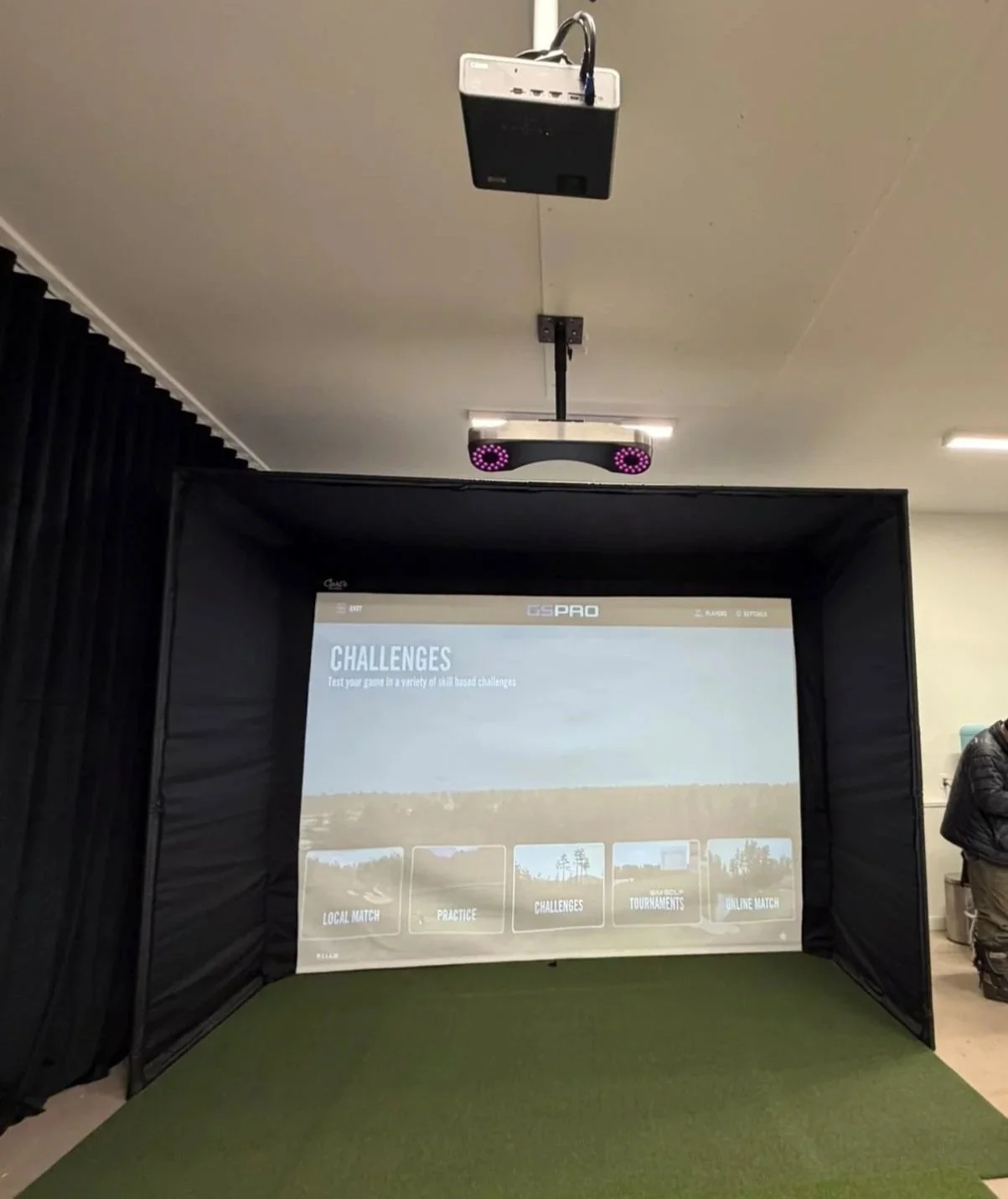
Ambient light has a significant impact on projected image quality. In this space, a 3,000-lumen BenQ AH30ST projector struggles to overcome daylight entering through nearby windows, resulting in a washed-out image.