Why Room Geometry Matters in a Golf Simulator
Room geometry is the foundation of a great golf simulator, as width, depth, ceiling height, lighting, and alignment ultimately determine whether the experience feels immersive, safe, and capable of delivering reliable performance and real game improvement.
It Always Starts With the Space
One of the very first conversations we have with clients at SimCaddy has nothing to do with launch monitors, software platforms, or projectors. It starts with the room.
Room geometry is the foundation of every successful golf simulator. When the space is right, everything else works more naturally. When it is wrong, even the most advanced technology ends up compensating. That is why we treat every simulator project as a design exercise first and a technology decision second.
The Difference Between a Blank Canvas and a Retrofit
In an ideal scenario, we are working with a blank canvas. A new build or an open room where dimensions, ceiling height, lighting, and layout can all be planned intentionally from the ground up. These projects are exciting because they allow the simulator to be designed as a complete environment rather than something forced into place.
More often, clients come to us with a space already in mind. A garage bay, a basement room, or a spare area that feels like it should be close enough. Many of these spaces can technically house a simulator, but not all of them are capable of delivering an experience that feels natural, immersive, safe, and repeatable. That distinction matters far more than most people expect.
When a space is less than ideal, compromises become unavoidable. Those compromises rarely stay isolated. They tend to cascade through the system and reveal themselves later as frustration, inconsistency, or the sense that the simulator never quite feels right. Identifying these limitations early, before equipment is ordered or construction begins, is one of the most valuable steps in the entire process.
A Golf Simulator Is a System, Not a Collection of Parts
A common misconception is that a golf simulator is simply a group of individual components assembled in a room. In reality, it is a system where every element influences the next.
Room geometry affects alignment. Alignment affects swing feedback. Projection affects immersion. Lighting affects both visual clarity and tracking accuracy. When one part of the system is compromised, the effects ripple outward in subtle ways that are not always obvious at first.
Width and Alignment Are Closely Linked
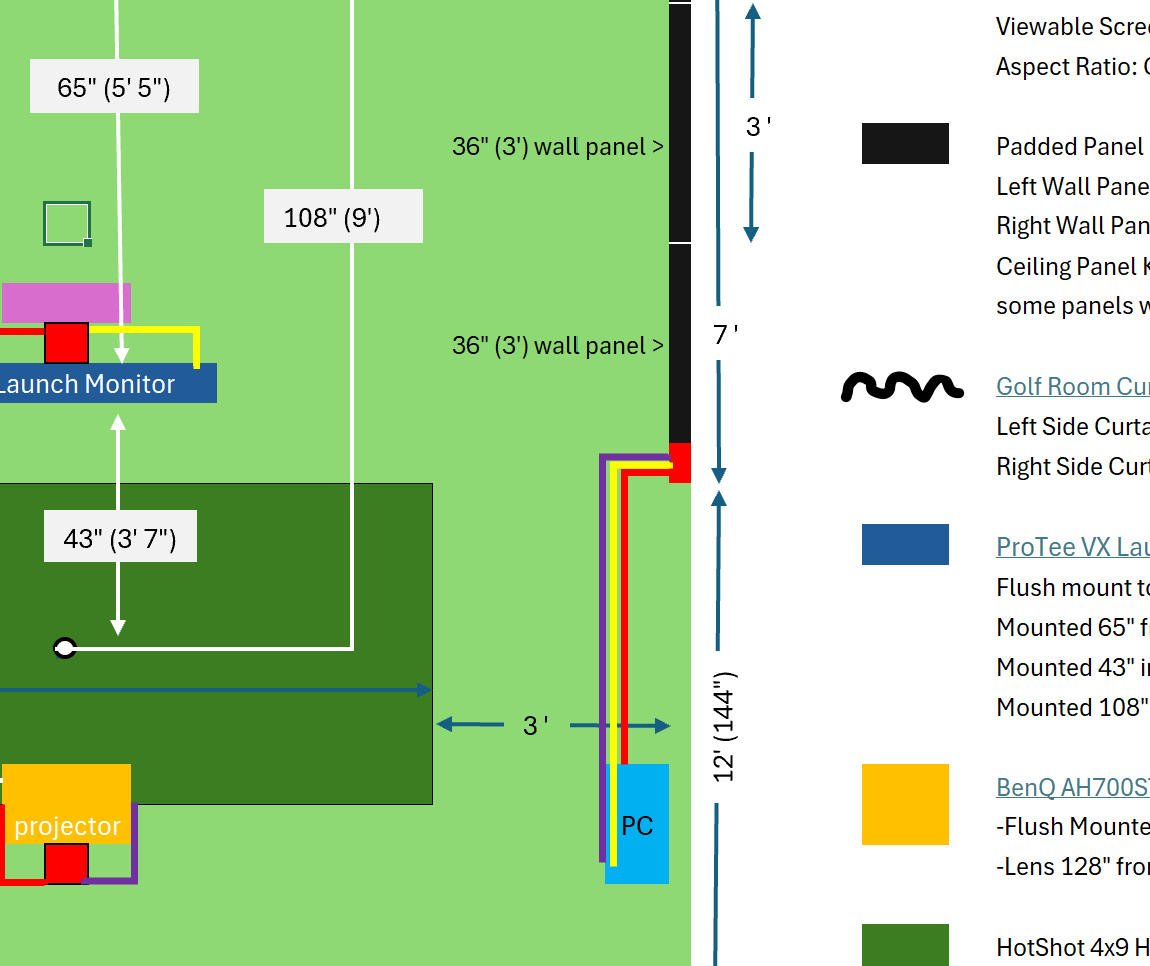
Room width is the most frequent constraint we encounter, and it is also one of the most misunderstood. When there is not enough width to support a centered hitting position, the question often becomes whether the hitting area can simply be offset.
While offset setups are technically possible, they introduce compromises that most golfers do not anticipate. Once the hitting position is offset, the physical and visual center of the screen no longer align with the golfer’s target line. Even if the software digitally re-centers the aim point, the eyes and body continue to reference the true center of the screen.
Over time, this subtle mismatch can encourage compensations in setup and swing path that would not exist in a properly centered environment. There is also a safety consideration. Offsetting reduces margin on one side of the hitting area, increasing the likelihood that a pushed shot contacts a wall or structure instead of the screen.
What makes offset setups especially deceptive is that they often feel acceptable at first. The system works. Ball flights look reasonable. The data appears trustworthy. But relative to the room itself, the golfer is no longer training on a true straight line. That disconnect slowly erodes confidence in the feedback being received. This is not a hardware issue. It is geometry.
Depth Influences Comfort, Safety, and Screen Longevity
Depth introduces a different set of challenges. A well-designed simulator needs enough space behind the impact screen to safely absorb ball strikes and enough distance between the golfer and the screen for the experience to feel natural.
Standing too close can make the screen feel overwhelming and artificially tighten dispersion, concentrating impact in a small area. Over time, this can lead to visible wear or creasing in the screen. Standing too far back widens dispersion and increases the risk of unintended contact with surrounding surfaces.
Comfort and safety improve significantly when the playing area is clearly defined and separated from any spectator or seating space. That separation allows the golfer to swing freely while giving observers confidence that they are well clear of the hitting zone.
Ceiling Height and the Psychology of the Swing
Ceiling height affects the simulator experience in a way that is often underestimated. Many golfers can physically swing under lower ceilings, but the moment the ceiling enters the golfer’s mind, freedom disappears.
Swing speed changes. Tension creeps in. Confidence drops. Those changes show up immediately in ball flight and launch data. A simulator should promote freedom, not caution.
Ceiling height also dictates projector options, mounting locations, and image size, making it one of the most influential dimensions in the room.
Projection, Immersion, and Light Control
Projection quality is inseparable from room geometry. Tight spaces often force projector placements that introduce shadows, glare, or reduced image size. While these issues are sometimes dismissed as cosmetic, they directly affect immersion.
Immersion is not a luxury feature. It is a core reason simulators feel compelling and engaging.
Ambient light plays an equally important role. Uncontrolled daylight can wash out contrast, create hotspots on the impact screen, and break the sense of presence the simulator is meant to create. In rooms with windows or higher ceilings, thoughtful light control paired with the right projector makes the difference between a system that feels compromised and one that feels intentional.
Aspect Ratio and the Reality of True 4K
Aspect ratio is another area where room geometry quietly dictates outcomes. Most projectors are native 16:9 aspect ratio. If the impact screen does not match that ratio, the image must be digitally scaled, which reduces pixel density and undermines true 4K performance.
For clients who want a genuine 4K visual experience, the room must support an impact screen wide and tall enough to maintain that native aspect ratio without scaling. This also requires a computer capable of driving 4K resolution properly. Once again, the room sets the limits.
Expectations Matter More Than Perfection
None of this means a simulator cannot be built in a less than perfect space. Many people do, and many enjoy them. The difference lies in expectations.
When compromises are understood upfront and aligned with goals and budget, simpler setups can be very satisfying. Problems arise when expectations exceed what the space can realistically support. Every compromise has a cost, and that cost often reveals itself over time through inconsistency or frustration rather than immediately.
Designing for the Experience
At its core, a golf simulator is a user experience. It is the interface between the golfer and the game. Visual immersion matters. Safety matters. Comfort matters. Entertainment matters. And when improvement is the goal, accuracy and repeatability matter just as much.
The best simulator environments strike a balance. They feel engaging rather than overwhelming and immersive without distraction. That balance comes from understanding how room geometry, alignment, projection, lighting, acoustics, and sensor placement interact as a single system.
At SimCaddy, every design decision is intentional. Our goal is not simply to install equipment, but to create an environment that feels right the moment you step into the room and continues to perform as expected over time. That is the difference between a simulator that merely functions and one that truly delivers.
Tom Murray, is the Founder and President of SimCaddy, a golf simulator design and supply company serving customers across Canada. As a CTS-certified audiovisual professional, Tom combines his AV expertise with a passion for golf simulators, specializing in designing and building advanced systems for both residential and commercial spaces. His focus is on delivering immersive, high-quality solutions tailored to each client’s unique needs.